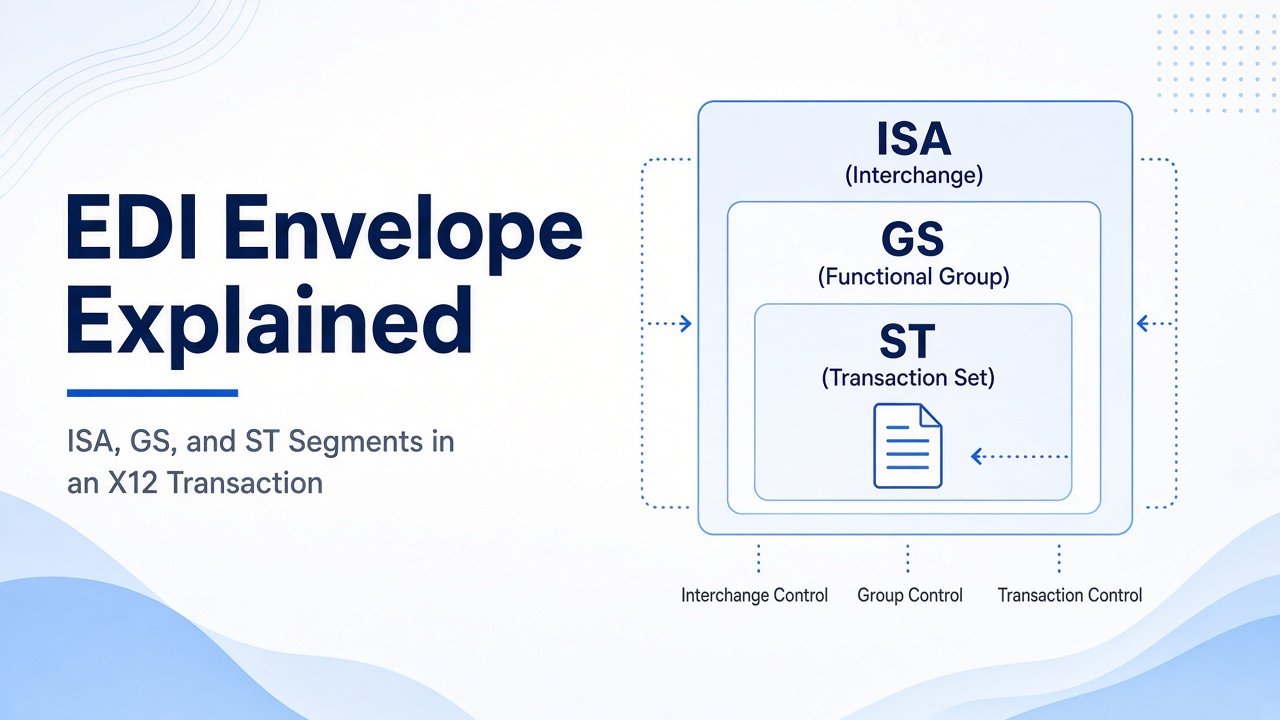
EDI Envelope Explained: ISA, GS, and ST Segments in an X12 Transaction
- DataSync
- 22 Sep, 2026
- 03 Mins read
- Edi
An X12 EDI file is not just a purchase order or invoice sitting alone. It is wrapped in an envelope—layers of header and trailer segments that identify who is sending, what is grouped together, and which transaction is inside.
Those layers are ISA, GS, and ST. Understanding them is the fastest way to diagnose routing failures, control-number issues, and acknowledgment mismatches.
The Envelope Is Nested, Not Flat
Think of an X12 interchange as nested containers:
- ISA / IEA — the outer interchange envelope (who is exchanging with whom)
- GS / GE — the functional group (related transaction sets of one type)
- ST / SE — the transaction set (the actual business document, such as an 850 or 810)
One interchange can hold multiple groups. One group can hold multiple transactions. That nesting is why a single file can carry many business documents—and why failures need to be traced to the right layer.
ISA: The Interchange Header
ISA is the outermost envelope. It defines the interchange relationship.
It typically carries:
- Sender and receiver interchange IDs
- Date and time of the interchange
- Interchange control number
- Version and separator characters
- Test or production indicator
When partners cannot “see” each other, the first place to check is usually ISA identity and environment flags—not the PO lines inside the 850.
The matching trailer is IEA, which closes the interchange and confirms how many functional groups were included.
GS: The Functional Group
GS sits inside the interchange and groups related transaction sets.
It typically carries:
- Functional identifier code (for example, PO for purchase orders)
- Application sender and receiver codes
- Group control number
- Date, time, and version/release
GS matters for routing and acknowledgment. A 997 often responds at the group level, so a bad GS setup can make an otherwise valid transaction look rejected or unacknowledged.
The matching trailer is GE, which closes the group and reports how many transaction sets were in it.
ST: The Transaction Set
ST starts the actual business document.
It typically carries:
- Transaction set identifier (such as 850, 856, or 810)
- Transaction set control number
Everything between ST and SE is the document content ops teams care about: order lines, shipment details, invoice amounts.
The matching trailer is SE, which closes the transaction and counts the segments inside it.
Control Numbers Tie the Layers Together
Each layer has its own control number:
- Interchange control number on ISA / IEA
- Group control number on GS / GE
- Transaction set control number on ST / SE
These numbers are how partners track uniqueness, detect duplicates, and match acknowledgments. If control numbers collide, reset unexpectedly, or do not match trailers, exchanges break even when the business data looks fine.
Why Envelope Errors Show Up as “EDI Problems”
Many production issues blamed on “mapping” are really envelope problems:
- Wrong ISA sender/receiver IDs
- Test flag still set in production
- GS application codes that do not match partner expectations
- Mismatched control numbers between headers and trailers
- Segment or group counts that do not match SE, GE, or IEA
Fixing the envelope often restores the flow without changing a single business field.
Final Takeaway
The X12 EDI envelope is the structure around the document: ISA for the interchange, GS for the functional group, and ST for the transaction set.
When teams can read those layers and their control numbers, partner setup, routing, and acknowledgments become far easier to diagnose—and far less mysterious when something fails.
Our Team Members